Tonight I flew from Beijing to Shanghai with Air China. Because I was tired after my trip I decided to upgrade to First Class, so I would have a bit more space to relax during the flight (I actually ended up working for most of the flight, but that’s my own fault 🙂 and get a decent meal. The plane was supposed to leave at 5:30 PM, and indeed we left the gate a few minutes before that. We taxied to the runway, but halfway we stopped. We stood there for 15 minutes when the pilot came on the intercom telling us that because of congestion we could not take off yet. Quite normal on the busy Beijing-Shanghai route, and because I already expected a delay I just leaned back in my seat and kept on reading.
Because I was in the first row of the plane I could not only look to the side but also a bit to the front. Therefore I could see that all around us planes were taking off, but we did not move. After about one hours of waiting I decided to ask the flight attendant. She looked around as if she had something to hide and then whispered to me: “We have a mechanical problem, the engine is leaking oil and a mechanic will need to repair it.”. That did not make me very happy, but I always prefer safety over trouble during the flight. I was surprised, however, that she just told me. Why not mention this on the intercom, were they afraid people would start to revolt after already being on the runway for over an hour?
I called my wife to tell her about the delay because engine trouble and also Twittered about it while sitting on the plane. A few minutes later the plane finally started to move again, I assumed to taxi back to the gate. But no, I was wrong, it taxied to the starting position. The pilot came on the intercom saying that we would take off in just a minute. I could not believe what I heard, a few minutes earlier I was told we had engine trouble and now we suddenly take off. I managed to send out another Twitter message and indeed off we went.
I am still not sure what happened. Did the flight attendant lie to me (she spoke English with me, so I am 100% sure I understood her correctly)? Did they take a calculated risk, meaning that the flight attendant was not allowed to tell the passengers (which would explain why it was not announced to the rest of the plane)? Or did a mechanic mysteriously manage to look at the engine while we were on the runway? Anyway, the flight itself was uneventful and we safely landed at Hongqiao airport, but I am still a bit puzzled.
I spent a couple of days in Singapore for AdTech, a conference and exhibition about digital marketing. I had been to an AdTech event before in China, but never to the conference in Singapore. But because Spill Group’s Asian sites outside China have grown to a pretty decent size over the past year (game.co.in is in the top 5 of flash sites in India, games.co.id is number 1 in Indonesia) and so advertising on these sites has become more important. I did not speak at this event, but just visited the exhibition and talked with many people from the online ad industry in SE-Asia.
My program was therefore quite flexible, and I could work from my hotel room a few hours per day, so I am not too far behind on mails this time. I also had some time to think a bit more about Spill Group Asia’s strategy. I learned quite some new interesting things about what’s happening in markets where we are not yet active, such as Vietnam or the Philippines. I also got a better understanding of the CPM rates all over Asia (is there actually a site where you can easily see average rates in different countries?), and about ad formats. And of course it was good to meet all the ad networks in person, and hear from them what they can do for us (and what they cannot do). As expected most focus purely on SE-Asia and don’t do much in China, but we still found some agencies that have campaigns that they could launch in China. Many have big plans for China though, let’s see.
I met a lot of new people during the past couple of days, including some people that I had only known online so far. Mark Kamminga from Spill Group in Holland had also flown to Singapore and he introduced me to Marta from eBuddy (web-based messenger) who he met during check-in in Amsterdam. Jacco Bouw (CEO of the fast-growing online marketing company Web Power) was also in Singapore with a colleague, and all of us had dinner and (many) drinks together three nights in a row. Among others I also met with angel investor/VC Nicholas Chan who saw on Twitter that I was in town and sent me this message through Twitter to get in touch. Also Dutch internet entrepreneur Arnout Wagenaar (from Singapore-based ihipo.com) read online that I was in Singapore and got in touch. Just a few years ago I probably would have never met these people, but because of my blog and especially Twitter things change quickly.
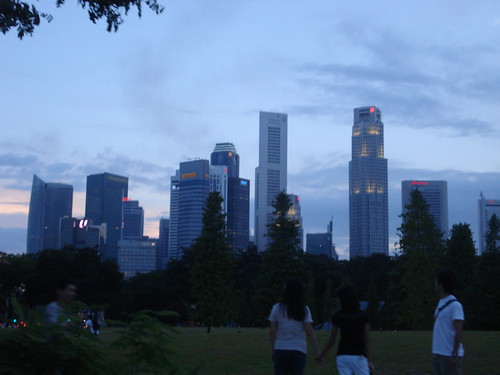
Apart from business I had a great time in Singapore. I had not been there in a few years (no real need to travel there on business so far), except to change flights sometimes at Changi airport. A few years ago I used to go here quite frequently and it was nice to be back. I have the feeling that the city has become even better than before. Nightlife was already good, but the past days actually exceeded my expectations. Also the Singapore Flyer close to my hotel (the Mandarin Marina) was impressive. I was told that it’s the world’s biggest ferris wheel with a height of 165 meters (comparable to 42 stories). I did not take the ride, because I feel 30 minutes is a bit too long to look at the city from above, but heard good stories from people who tried it. Also impressive is the Formula One track where on September 28 the first night F1 race will be held. Streets have been widened, a huge grandstand on the waterfront has been erected and lights have partially been installed along the fastest street circuit already. I am sure Singapore will make the race a huge success.
I am now on a plane from Singapore to Beijing for a short (less than 24-hour) business trip. Tomorrow afternoon I am flying back to Shanghai, and plan to stay there for a while. Enough travel lately, I want to spend more time with my little son!
I am typing this from Terminal 2 in Shanghai Pudong airport where I will catch a flight to Singapore in 30 minutes. This is the first time I depart from the new Terminal 2, so far all of my flights over the past week were out of Terminal 1. I am not particularly fond of Terminal 1, it feels cold, the shops are crappy and there is nothing to do. Terminal 2 is a lot better. It’s brighter than Terminal 1 and it feels warmer, probably because of the carpets on the floor. The new terminal looks very similar to Hong Kong airport actually, even the signs for the gates seem to be the same. There are actually some decent shops, although there is no comparison with the shopping experience at Hong Kong airport.
At Terminal 1 I normally go to one of the lounges, either the KLM one (thanks to my frequent flyer card) or to the China Mobile one (that gave me a VIP card years ago already, thanks to my higher-than-average mobile phone bills). But at Terminal 2 I didn’t know where these lounges are located and I was not in the mood to find them, so I decided to just walk around a bit to check out the place. I ended up at Burger King (take the escalator up at gate D75), not for food, but just for a coffee. It turned out they have a great deal on coffee, for just RMB 8 (EUR 0.80) you get a large one! I am quite sure this is the cheapest coffee on the whole airport, and quite drinkable as well. Just as a comparison I went into the coffee bar next to gate D77 to check their prices. This shop charges RMB 48 for a regular coffee (150 ml), six times as much and for a much smaller cup!
And the best thing is that when you sit at Burger King you have a full free wifi connection. Just go to the “spia-guest” network, it is unprotected but not very fast (but being in China you are probably used to that). This made my day! I walked around a bit on the airport with my laptop, and it seems this network is available all over the place.
If you’re not into coffee or shopping there seem to be a lot of other things to do as well. I noticed signs showing the direction to among others a cinema, meeting rooms, an internet cafe, a hairdresser and even a gym. I do not have time to check them out (my flight is boarding in a few minutes), but next time that I fly from here I will certainly pay them a visit (and likely blog about it).
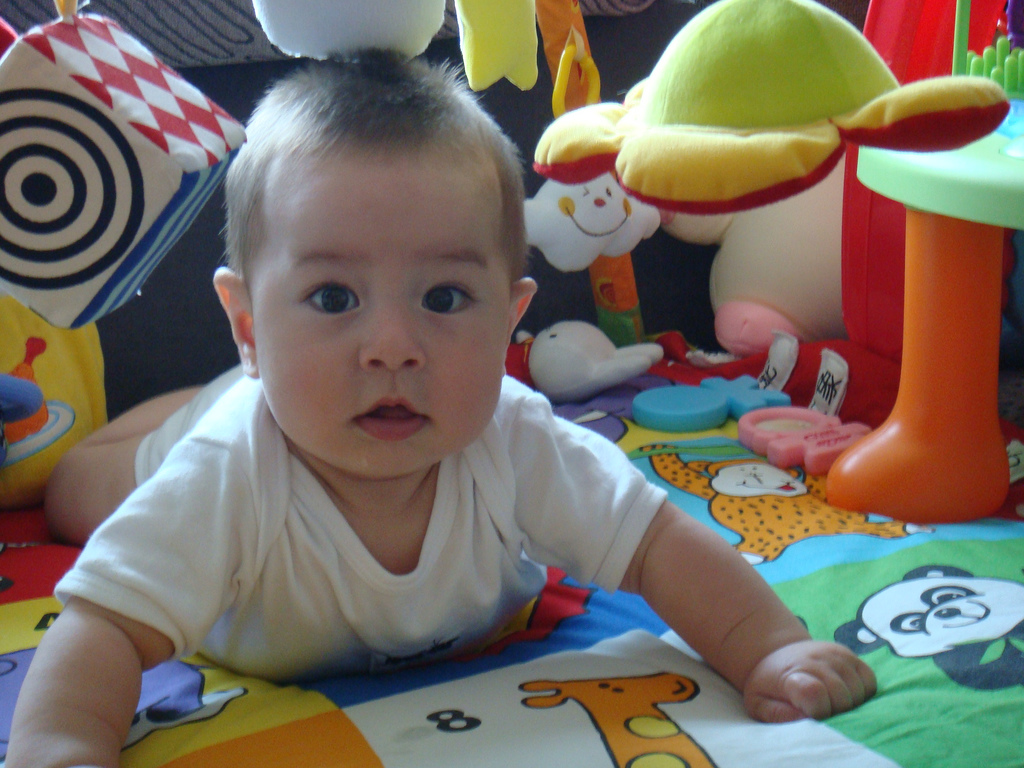
Yesterday Scott had ‘solid’ food for the first time. Until now he only drank milk (breastfeeding and baby formula), but after almost 6 months it was time to introduce him to something different. We bought special rice cereal for him, a kind of rice congee, a mix between liquid and real solid food.
At first Scott was looking a bit bewildered at the spoon, but he soon figured out that he could suck on it and get the food in his mouth. He seemed to like it, but felt that we did not give him the food fast enough. He became irritated because he was hungry (he always gets hungry when he sees food, and demands food right away) and because he could not keep on eating as fast as he would while getting his bottle.
During the night we gave him a bottle as usual, and this morning we wanted to give him rice cereal again. But after a few bites Scott got very unhappy with the speed of eating and started to cry loudly. He refused to take another bite. The only way to stop his crying was to give him his familiar bottle, which we finally did. Within seconds he went from inconsolable crying to a broad smile, as if he was trying to tell us: “See, I always win!”.
It seems it will take a few days before he will get used to being fed with a spoon. Maybe we should give him some more tasty food (mashed vegetables or industrial baby food from small glass jars, for example), but then the chance is that he does not want to drink his bottle anymore. We’ll see, raising a baby is not as easy as I thought – but it’s a lot of fun and I enjoy (almost) every minute of it!
Sunday night I arrived in Holland with CIC’s Sam Flemming for a short visit. My second visit to Holland in a week actually, so I am glad that I don’t suffer too much from jet lags. Sunday night started off with a dinner with friends of mine in restaurant De Belhamel on the corner of the Brouwersgracht and de Heerengracht. I took Sam along as well, and we had a nice dinner with several bottles of good Australian wine. During the dinner I realized that all of my friends had either worked abroad or are currently working outside the Netherlands (One just got back from an expat assignment for a Dutch bank in Beijing, one works for a private equity firm in London, another for an insurance company in London and the last one just returned from a stint at JP Morgan in Frankfurt). Holland is quite international!
Around 11 PM we walked back to our hotel, and we noticed lots of cars all around us blowing their horns, cars with people screaming while holding Turkish flags and people dancing in the street. I did not think much of it, but later I saw on the news that some parts of Amsterdam were completely blocked for traffic because of Turkish fans celebrating that their team made it to the quarter finals. Another proof that Holland, and especially Amsterdam, is very international!
The next morning I woke up with a bit of a hangover, due to the combination of a long dehydrating flight followed by a dinner with a bit too much alcohol. A nice English breakfast with lots of orange juice solved that and I went refreshed into my first meeting of the day. Sam had two meetings during the morning, before we went for a quick working lunch at VC firm Van den Ende & Deitmers. After lunch Dorrit Gruijters (the main organizer of the Chinareis2008.nl trip) picked us up for the China New Media Conference where we had to speak in the afternoon. Before the conference started I did two TV interviews with a Dutch news program (NOVA) and then I mingled with many of the particpants of the Chinareis that were present at the event. I was wearing a microphone from a TV program that was following me during the day, but totally forgot about it after a few minutes already – and also forgot to inform others. This led to a bit of an awkward situation with a person from a large US media company with whom I discussed a business deal that should have stayed confidential, but that was of course recorded as well.
The conference itself was quite a success. About 170 Dutch business people with an interest in China and New Media showed up, and the speakers gave interesting talks. The first to present was Tan Tze Kiat, GM of BBDO China, who talked about the trends in advertising in Asia. Next on stage was Sam Flemming with a presentation about the importance of Internet Word of Mouth, with among others some fascinating examples about for example the role of the internet during the Sichuan earthquake. After a short break I talked about online gaming in China and my expectations for the future (casual games will outperform growth rates of MMO’s, and mobile gaming will be huge), followed by Richard de Booij of Wannahaves who talked about his experiences of doing business in China (among others about his cooperation with Tudou.com).
Part 1 of the presentation that I gave on Monday, other parts see below this message
After the presentations Dorrit Gruijters presented the book that the Chinareis participants wrote about New Media and trends in China (in Dutch). I wrote the chapter about online games, but had not seen the book yet. I was quite impressed by the quality of most of the articles (I just read the book on the plane), and the great pictures in it. Not sure if the book is for sale, but if you’re interested to obtain a copy send a mail to info (at) interimic (dot) com.
The conference was followed by a drinks, finger food and a buffet, and I talked to many different people (I collected quite a stack of business cards). My dad was also at the conference, so I also managed to have a glass of wine with him. Always nice! Around 8 PM most of the participants went home, and the speakers and organization committee went for dinner at Singel 101 in Amsterdam. A very nice restaurant as well! Vincent Everts showed us his latest gadgets and Tze’s 16 month daughter managed to get our attention by first throwing Tze’s Blackberry on the ground (that disintegrated into several pieces that spread all over the restaurant – Vincent filmed it, so it might be online already) and later threw her iPhone in the risotto…
Around 11 PM Sam and I decided to go for some drinks. We ended up at one of Amsterdam’s nicest bars, ‘t Spui-tje in the Spuistraat, and had some drinks there. Around 1 AM we got back to our hotel room and I fell asleep almost right away.
I got up at 6 AM to do some work, pack my suitcase and have breakfast. At 8:30 I met with the producers of a Dutch TV program and after that I did an interview with a Dutch magazine. Then I worked on mails a bit before heading to Spill Group headquarters in Hilversum. After a couple of meetings there I went off to the airport, had a few drinks in the lounge and boarded the plane to Shanghai together with Sam around 6 PM. It was a short but very good trip. But after 8 intercontinental flights in less than 8 weeks I have seen enough airplanes. One more trip to the AdTech conference in Singapore next week and then I can hopefully stay in Shanghai for a while.
It’s been a while since I last wrote about my little baby boy Scott. He is growing up fast: even though he is not even 6 months old, he is about 70 cm tall and has a weight of 9 kilogram. And he is such a sweet boy, he hardly ever cries and smiles at us all the time. He makes me happy each time I see him, and I miss him every time I am going on a business trip (I am writing this while in the business lounge at Pudong airport on my way to Holland, and I miss him now already!). He is almost starting to crawl now, he easily turns around from his tummy to his back and the other way around and he can also use his arms to move himself around like the arms of a clock. Just moving forward is something he did not figure out yet.
He is also making more and more sounds, but no real words yet (or is ababa a word?). Likely he will start talking later than other babies, because we are trying to raise him tri-lingual (Chinese, English and Dutch). At least according to the books it then takes a bit longer before the baby will form meaningful words, we’ll see. One thing is certain, having a baby is the best thing that ever happened to me. This is something I could not have imagined a year ago, but it is absolutely fantastic to have a little baby. And as people tell me, it will only get better!
During the week we spent in Tanzania I was surprised to see how big this countries potential is. Among others there are huge natural resources and also tourism has only just started. I saw numerous business opportunities, without even really thinking about it. But the strange thing is that when you walk on the streets of Moshi you just see young men sitting around doing nothing. Occasionally they get up to try to sell you something you don’t need or want, or just to ask you for money, but for the rest they just seem to do nothing. From early morning until late at night. Women seem to do most of the work, they carry goods (on their heads) or kids (on their back), do the house work and even work the fields. And the men are just sitting in the shade talking to each other, and they seem to be happy doing so. It surprised me, not only because they let the women do the work, but especially that they do not see the potential to make money.
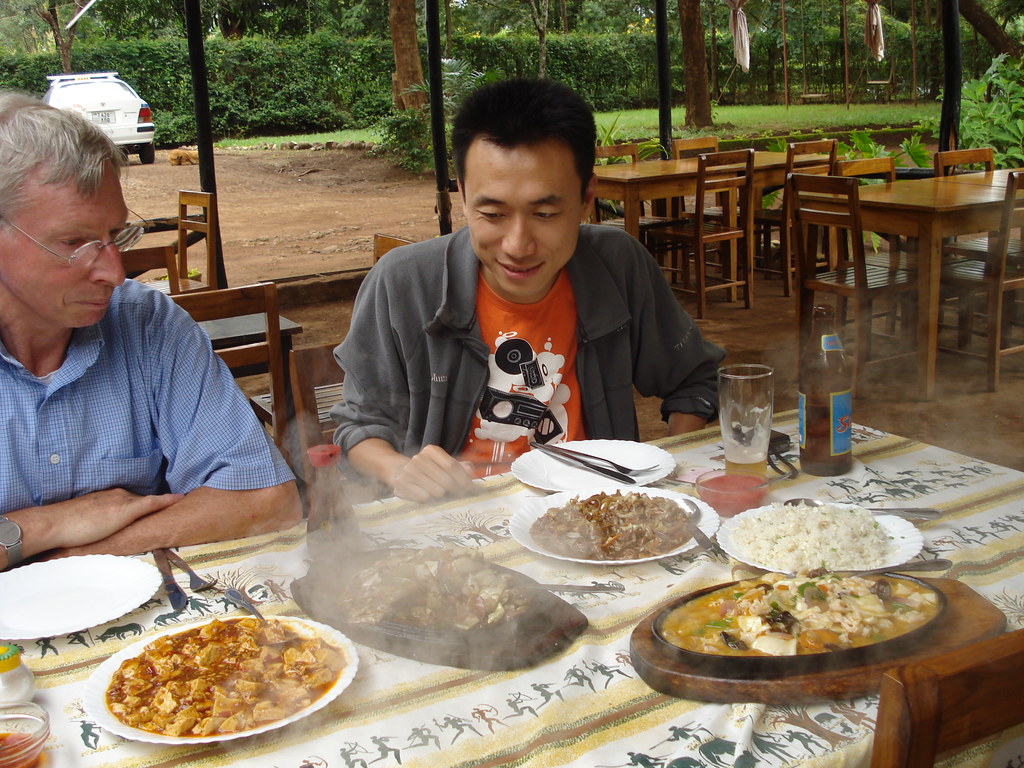
It looks like the only people that see the opportunity and also seize it, are the Chinese. By coincidence we got to meet a young entrepreneurial Chinese lady while in Moshi. During lunch on our first day we decided to head out to a different restaurant. Not knowing what kind of restaurants would be good, we asked a taxi driver. He told us that there was a good Indian restaurant in Moshi, and he would take us there. Fine with us, as long as we would not get Chinese food we did not really mind. So he drives off with us and 10 minutes later we drive into…. The Panda Chinese restaurant! The taxi driver did not understand that there was a difference, and we decided to just go ahead. As long as they had a cold beer we were fine. The place was not bad actually: a small villa with a nice garden and a terrace, in the Shanty Town part of Moshi. We ordered some dishes and when they arrived we were pleasantly surprised by the taste, it was authentic Chinese! So we asked the African waitress whether the cook was from China, and whether we could talk to him/her.
A minute later a Chinese lady around 30 years old turns up, Ms. Feng Yu. She is not only the cook but also the owner of the restaurant. Originally she hails from Chengdu and has been in Tanzania for several years already. Despite her young age she not only owns this restaurant but is also co-owner of a small chicken farm. We asked her how she ended up in Moshi, which is not the most logical place in the world to start a business, and she just answered “I guess I just took the wrong bus”. We did not feel she was very happy here, but at least she seemed to be successful. She told us that for a while she was the only Chinese person in Moshi, but now there were several more. Some had started a factory, and soon her brother would join to set up a massage place (with masseuses from China). Smart idea, after our Kilimanjaro trip I would have loved to have a good leg massage, and with Kili tourism on the rise there certainly will be a market for this.
Seeing entrepreneurial Chinese here confirms what you read in the foreign media, the Chinese are slowly taking over the economy in several African countries. They are smart, willing to work hard and take risks – some of the reasons why I like to work in China. I just wonder what the reaction of unemployed inhabitants of Moshi will be once the Chinese start to make serious money.
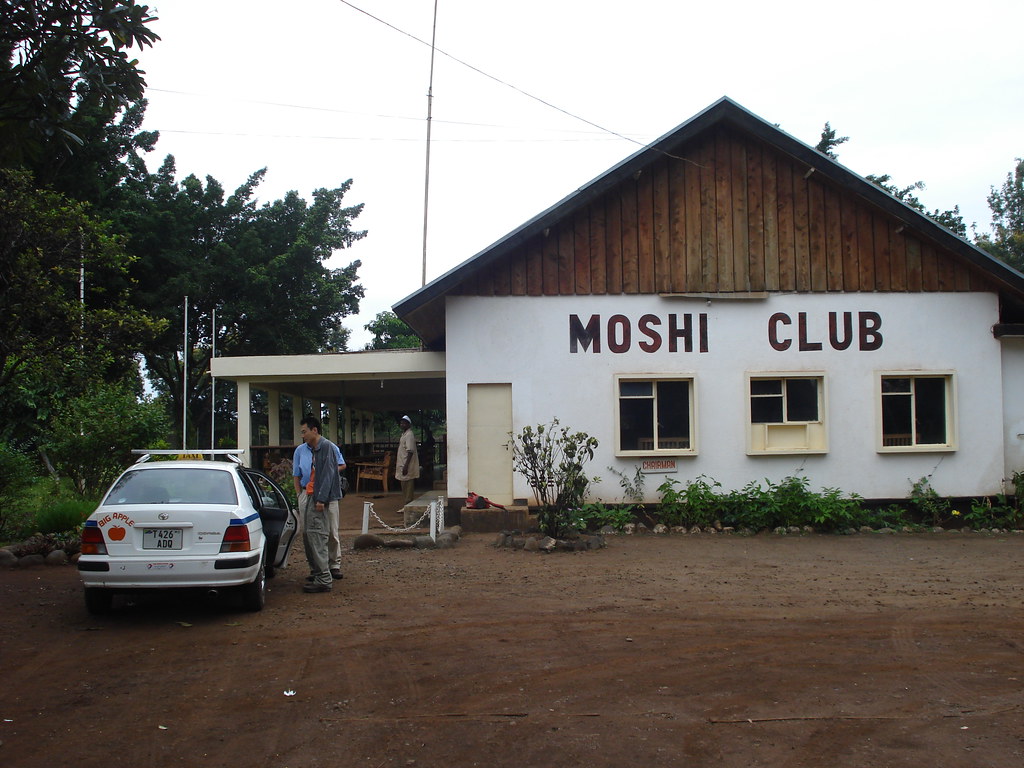
When we arrived in Tanzania we decided to stay one day in Moshi before starting our hike up Kilimanjaro. We used the day to check out Moshi itself and then found out that the town actually has a golf course. The course is part of the Moshi Club, an old colonial-style club that was set up in the 1920’s. You can still feel the former atmosphere, but due to mismanagement the club had gone down the drain over the past couple of years. There are some tennis courts as well, but judging from how overgrown they are I think they have not been used for many years.
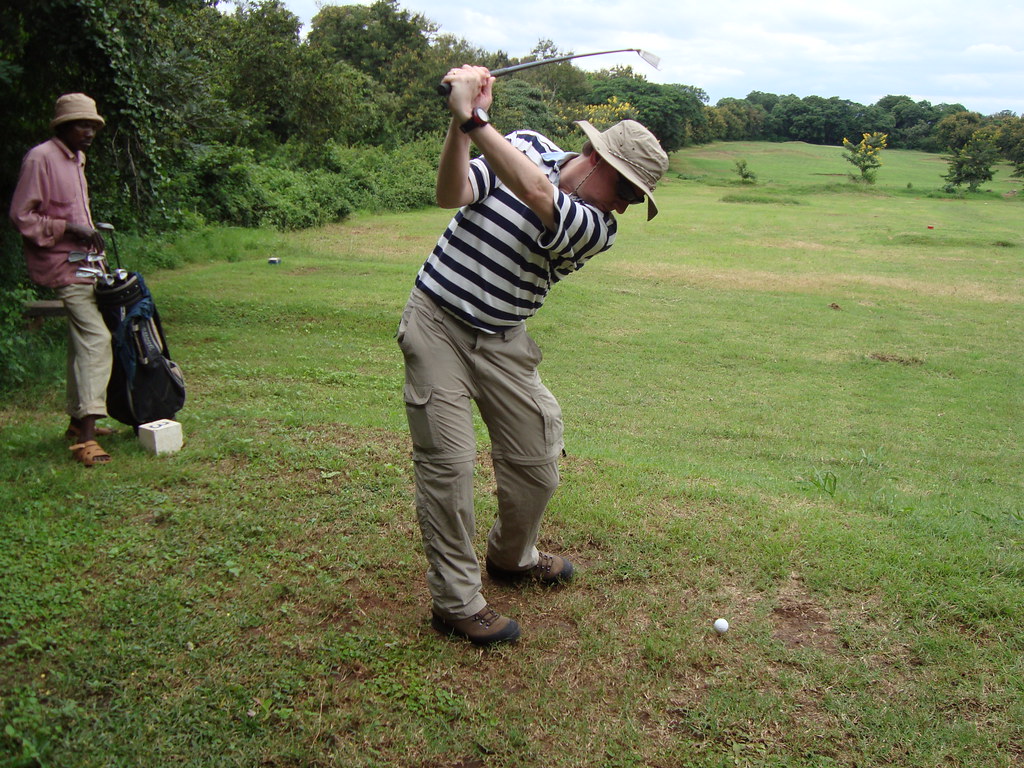
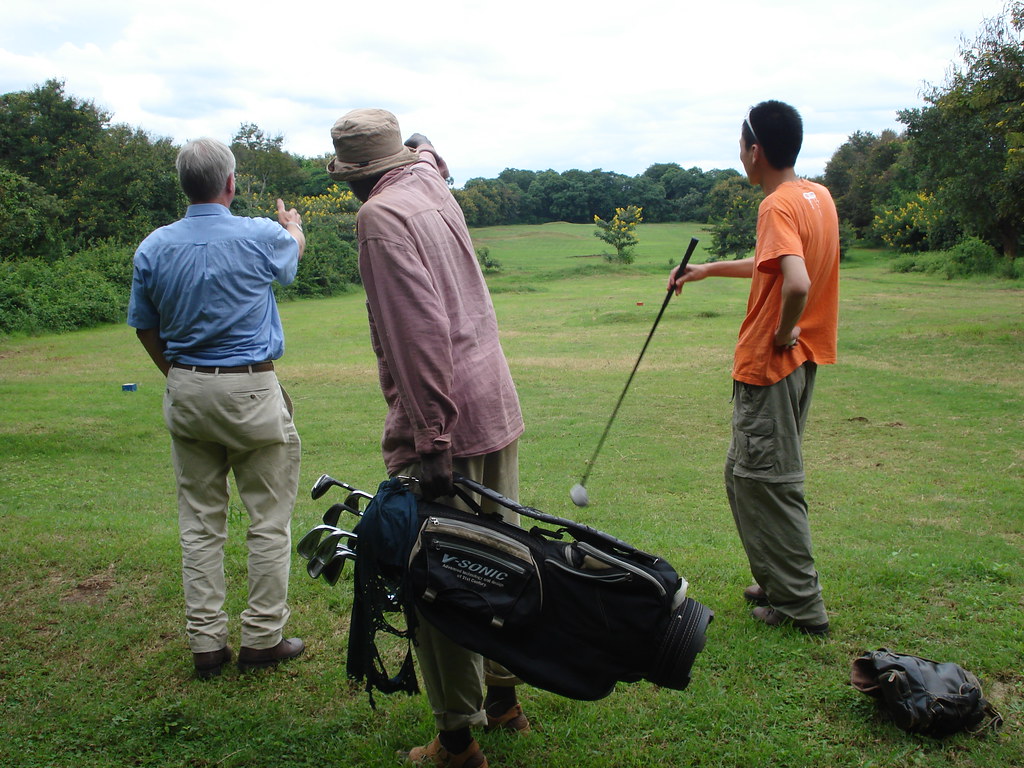
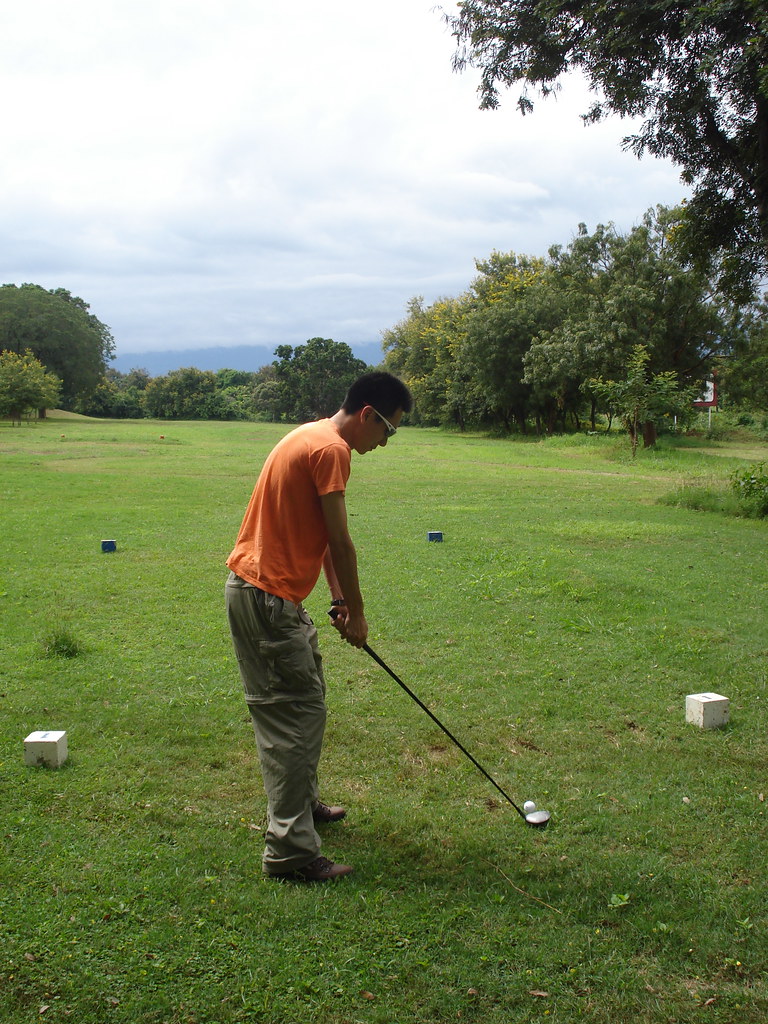
Because we did not bring our own set of golf clubs we had to rent them from the manager. In his office we saw that membership had decreased from about 150 paying members 3 years ago to just 43 members this year. Not enough to run a golf course, even in Tanzania. The club house was dilapidated and only served drinks and no food anymore. But the course itself was still quite nice, although some of the greens looked more like an average fairway, and the fairways at some place were more like the rough. And the rough was like a real jungle! Despite all this we played a nice round of golf. Because we did not expect to play golf on the slopes of Kilimanjaro we did not bring any golf clothes, and therefore we were wearing our hiking boots on the course. Nobody said anything of course. We used one caddy, whose main function was to carry our clubs and look for our balls (even on the fairway you often could not locate them without searching). The caddy tried to give advice, but that was often counterproductive, so we sort of ignored him. And I was still carrying my laptop, the first (and probably last) time that I ever play a round of golf with a laptop in my backpack!
During our round several other people approached us with advice and some with golf balls. First we thought they wanted to give us the golf balls, but then it turned out they wanted USD 1 per used ball. A bit steep. We asked if we could keep them with us during our round and only pay if we would need them. But they did not like it, and they told us they were hungry so wanted to have the money now. A bit of a weird experience. But there were more strange things: our caddy also hit a couple of balls every now and then (never seen that before), some guys were watching us from the green that we were aiming for (and were surprised to almost get a golf ball on their heads), it seemed the whole 9 holes had to be mowed with one hand mower (at least it was gas-powered, but it took 5 people 10 minutes just to start it – while we were putting on the green a few meters from the machine), and when we mentioned that we would need a taxi back to Moshi our caddy suddenly ran off to a road close by to charter a friend’s car!
It was a nice and relaxed afternoon though, but we certainly did not manage to play our handicap. And it was very cheap, we paid something like USD 30 for three people, a caddy and a set of clubs. Not bad for the only golf course with a view of Mount Kilimanjaro.
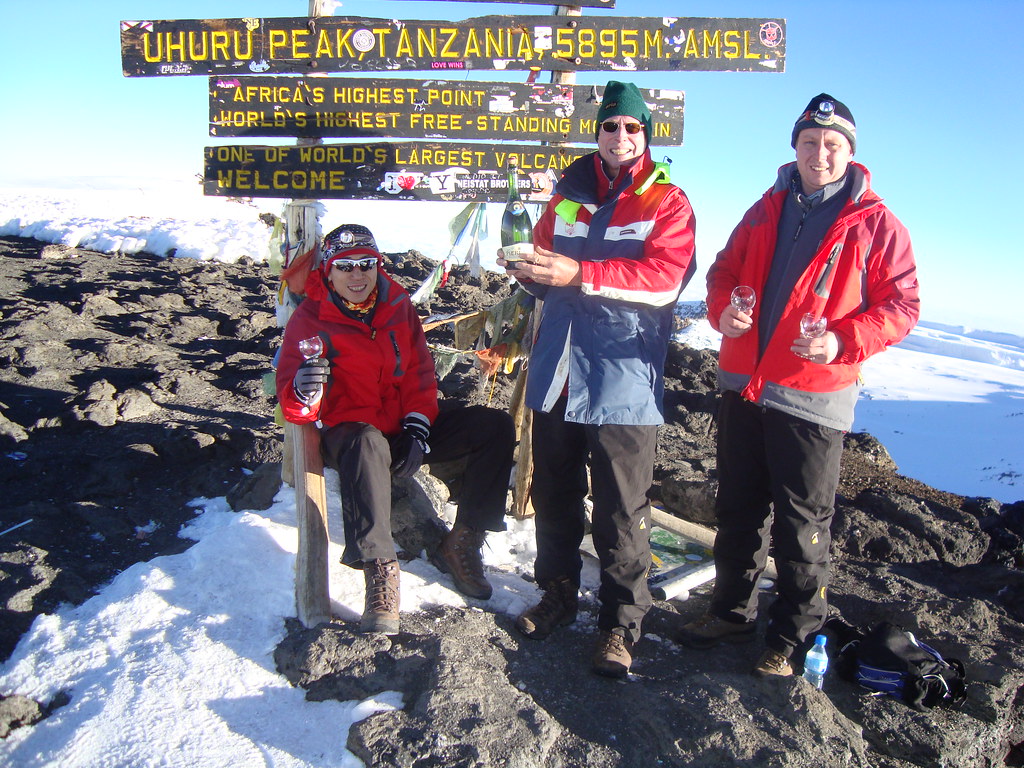
Gary, my dad and I made it to the top of Mount Kilimanjaro earlier this week. It took us exactly 4 days and 2 hours to get from the entrance of Kilimanjaro National Park to the top and back again to the entrance gate.
Especially the summit climb was quite hard. It was a freezing cold night climb in total darkness, and the higher we climbed the less oxygen there was. We left our camp 1200 meters below the top just after midnight to arrive at the crater rim at 5:30 AM, just in time for sunrise. After the sun came up it became a bit warmer (but still below zero), and we then hiked/climbed over the crater rim for 1.5 hours to Uhuru Peak where we arrived just after 7 AM.
We were the only ones climbing to the top of Kilimanjaro that night, so we had the whole mountain to ourselves. This is apparently quite unique, because climbing the mountain is becoming more and more popular.
After spending 10 minutes at the top we had to start descending. Although I felt pretty good getting to the top and could breathe quite normally, while going down I suddenly got headaches and felt extremely tired. I had to stop every few minutes to catch my breath. Very likely this was because of the high altitude, and indeed the symptoms got less the lower we got. Quite scary, especially when our guide told us every year 2 or 3 people die on top of Kilimanjaro because of altitude sickness.
I will post some more about our trip to Tanzania and the climb here over the next days, and will also upload more pictures to my Flickr account.
 Tonight I flew from Beijing to Shanghai with Air China. Because I was tired after my trip I decided to upgrade to First Class, so I would have a bit more space to relax during the flight (I actually ended up working for most of the flight, but that’s my own fault 🙂 and get a decent meal. The plane was supposed to leave at 5:30 PM, and indeed we left the gate a few minutes before that. We taxied to the runway, but halfway we stopped. We stood there for 15 minutes when the pilot came on the intercom telling us that because of congestion we could not take off yet. Quite normal on the busy Beijing-Shanghai route, and because I already expected a delay I just leaned back in my seat and kept on reading.